A label with several distributors
Statements from Believe for the back catalog and DistroKid for new singles are imported side by side, each with its saved mapping, and reported in one currency.

Every quarter, a pile of distributor statements and a spreadsheet to rebuild. LabelBase is royalty accounting software for labels: import the statements as they come, match every line to your catalog by ISRC, and each artist's share is computed from your splits.
Trusted by independent labels and modern music teams











Without royalty accounting software for labels, every quarter starts the same way: paste each distributor's statement into a spreadsheet, rename the columns, look up every track, apply the split, convert the currency, then do it all again for the next distributor. It takes days, and one wrong row is enough for an artist to stop trusting the numbers.
LabelBase turns that spreadsheet into three steps: royalty statement import from any distributor, reconciliation line by line against your catalog, and each artist's share computed from the splits you already keep.
Every distributor sends its sales report in its own format. LabelBase reads the file as you received it: no template to fill in, no column to rename by hand.
Pick the distributor among Believe, DistroKid, TuneCore, CD Baby, Ditto, Symphonic, FUGA, The Orchard, AWAL, Amuse, RouteNote, IDOL or Wiseband, or choose Other for a sub-label's spreadsheet. Statements are imported as CSV, TSV or TXT; an Excel file only needs to be saved as CSV first.
AI proposes which column holds the revenue, the ISRC, the sale period, the territory and the platform. You check it once per distributor layout; it is saved, versioned and shared by every label of your workspace.
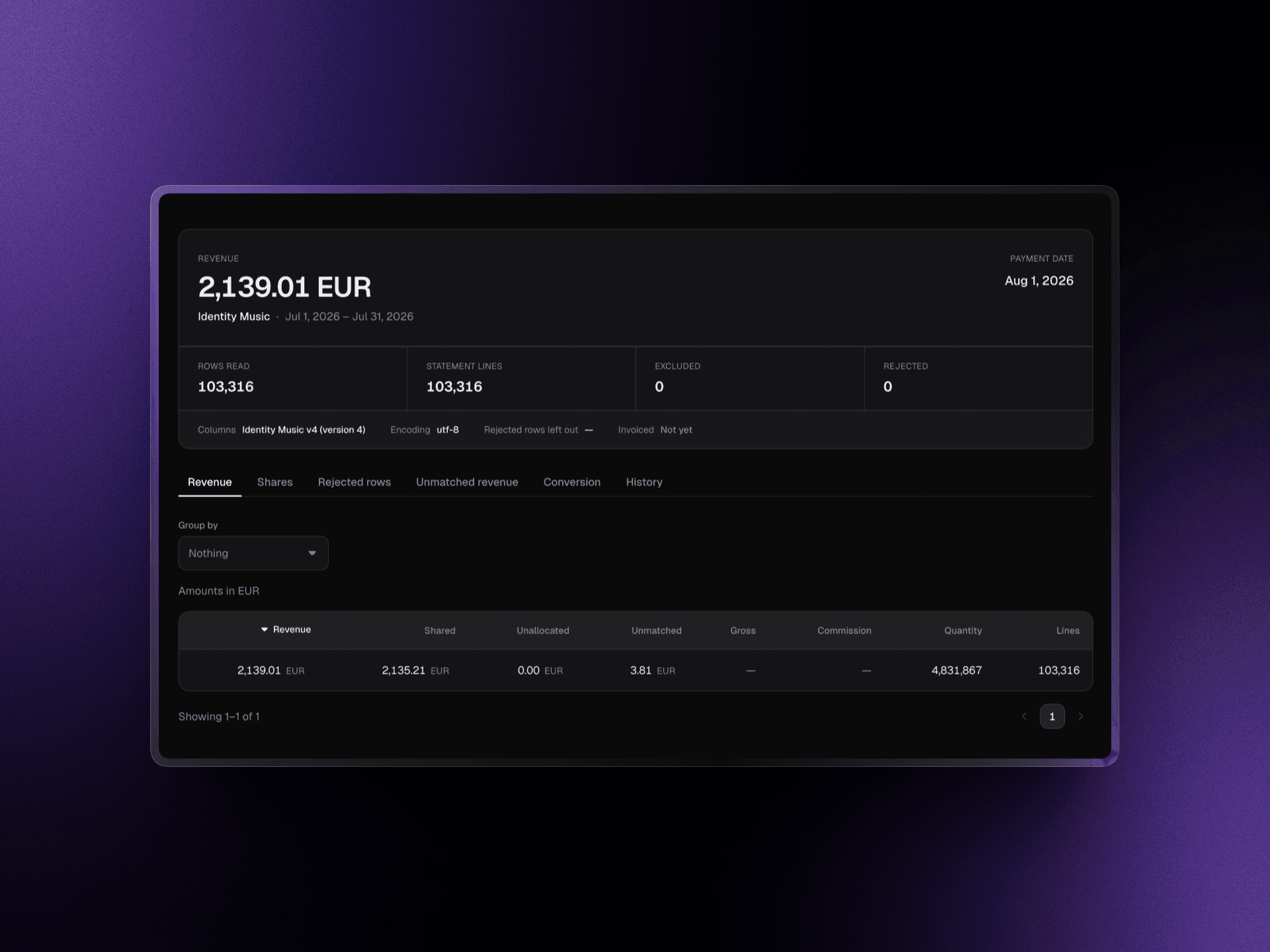
LabelBase first reads the whole file and shows what it would import: lines counted, revenue per currency, period covered and unreadable rows. Rejected rows block the import until someone agrees to leave them out, and LabelBase records who decided and why.
Importing a file is not enough: every amount has to land on the right track, exactly once. LabelBase checks each statement against your catalog and against itself.
Each line is tied to a track by its exact ISRC. A line with an unknown or ambiguous ISRC stays in unmatched revenue until you link it, and that link then applies to past and future statements.
The same file uploaded twice is refused. When a new statement covers a period already imported, you choose whether it replaces the previous one or adds to it.
After the import, LabelBase compares the revenue it recorded with the revenue it read. If the two differ, the import fails instead of leaving a gap in your accounts.
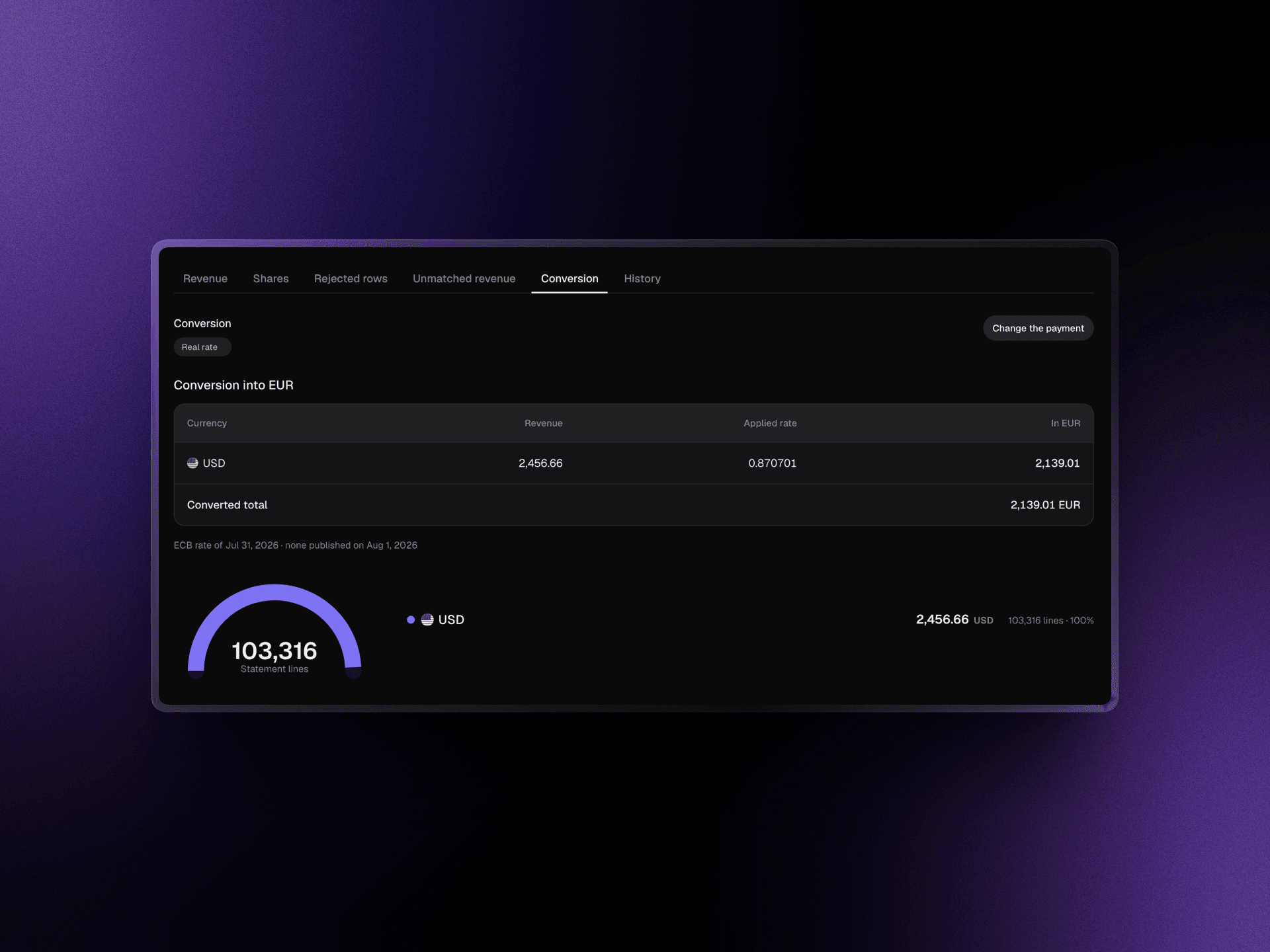
Revenue in any of the 30 ECB currencies is converted to your reporting currency at the ECB reference rate. Enter the amount that actually reached your bank and the rate is adjusted to match it.
Once a statement is reconciled, LabelBase works out what each artist is owed from the data already in your catalog and your deals.

The master splits set on each track decide each artist's share. Splits are dated, so a change applies from the date you choose and never rewrites a past period.
Record advances, recoupable costs and fees on a deal. LabelBase recoups them from the artist's share and shows the unrecouped balance of every deal.
Pick a quarter, a half-year or any date range, preview the run, export each artist's invoice as CSV and mark it paid once the transfer is done.
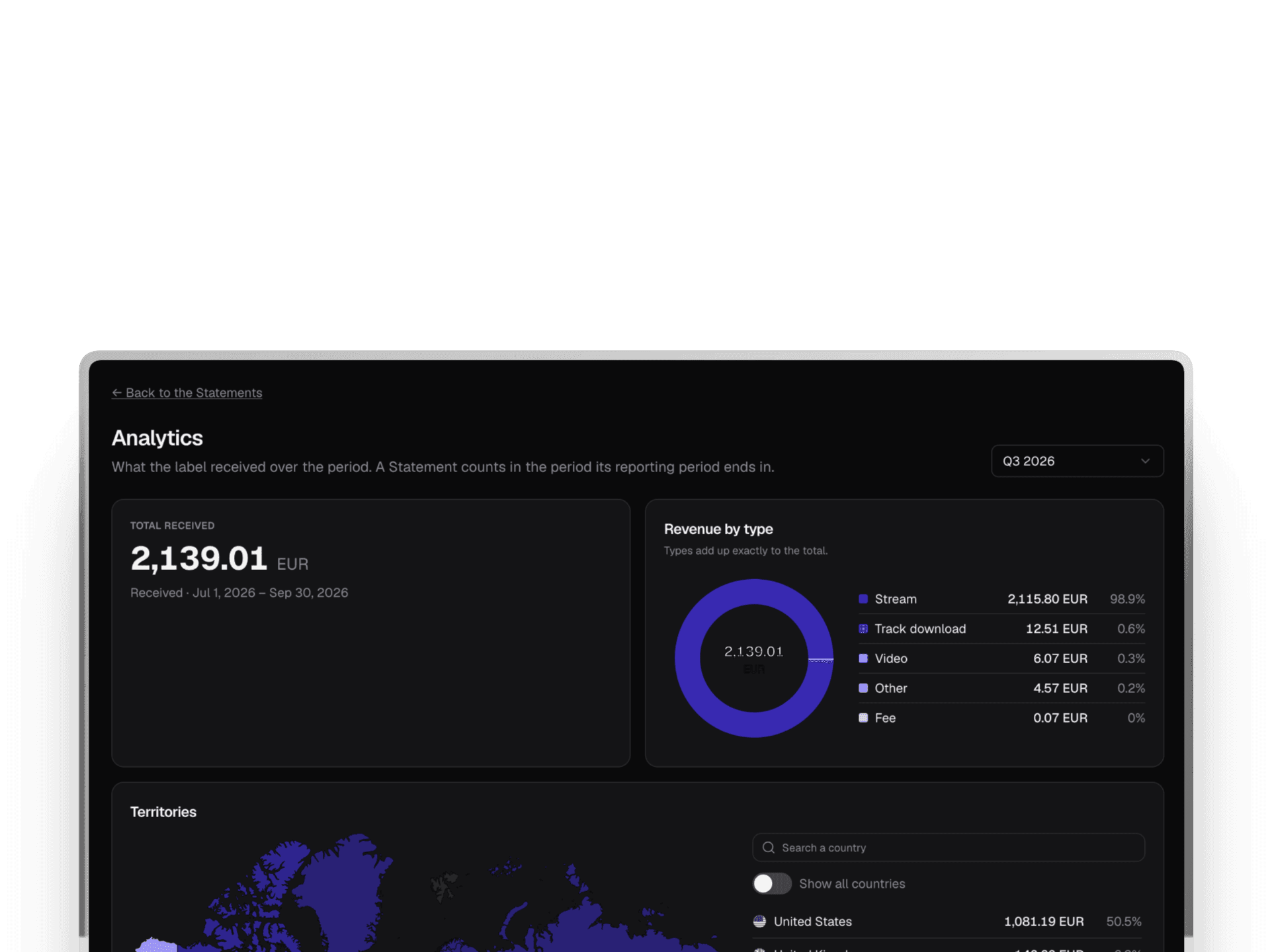
See revenue by platform, territory, artist and type of exploitation, filtered by distributor, period, track or UPC.
“LabelBase replaces multiple paid tools and eliminates the manual tracking that wastes our time. We save several hours every week.”
LudovicManager, Estrela RecordsBring a real statement to a short call. We'll walk you through it in LabelBase, from the import to each artist's share.
Statements from Believe for the back catalog and DistroKid for new singles are imported side by side, each with its saved mapping, and reported in one currency.
Every imprint of the workspace shares the same distributor mappings, so a layout validated once works for all of them.
An artist signed with an advance sees it recouped from their share, run after run, with the remaining balance always visible.
CSV, TSV and TXT files, as distributors export them. If your distributor sends an Excel file, save it as CSV first; LabelBase works out the encoding, the separator and the columns itself.
No. AI only suggests how the columns of a statement map to revenue, ISRC, period, territory and platform, and you validate that mapping. Every amount is computed by plain arithmetic from your splits and deals.
It is kept as unmatched revenue, never attributed by title. Add the track or fix its ISRC, link the line, and the link applies to every statement, past and future.
Yes. A statement can be reimported or withdrawn with a reason, and a new statement covering the same period can replace it. The history of every import stays on record.
Each workspace has one reporting currency, chosen among 30 ECB currencies before the first import. Revenue in other currencies is converted at the ECB reference rate, adjusted to the amount you actually received when you enter it.
Without LabelBase
With LabelBase
Each distributor's columns are renamed by hand, every quarter.
A mapping validated once imports the next statement straight away.
Lines are matched to tracks by title, and some are guessed.
Every line is matched by its exact ISRC, or kept apart.
The same statement gets pasted twice without anyone noticing.
A file uploaded twice is refused, and totals are checked.
Advances are tracked in a separate sheet, if at all.
Advances are recouped from each share, balance always visible.
A short call with the team behind LabelBase: we look at the statements you receive today and show you each artist's share computed from them.